08/29/2025 Release: Account Balance Management and Expanded OPUS Audio Options
1 min
read


Subscribe
Tags
New
Voice
Summary
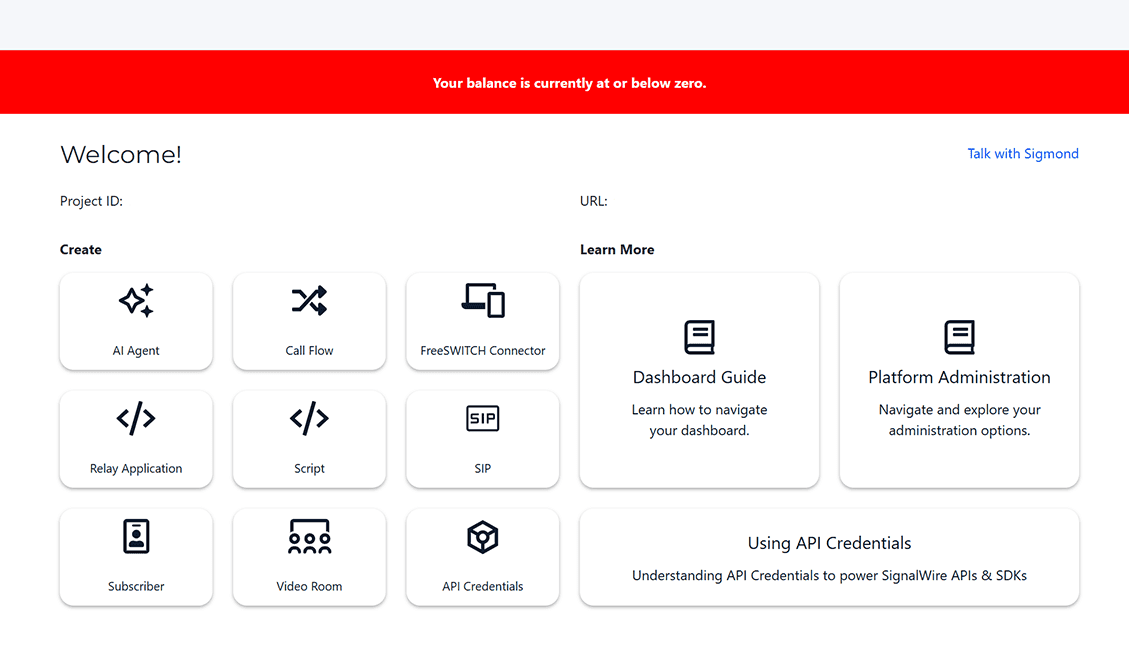
New "Add Funds" banner automatically appears in the Space when balance hits $0.00, with a direct button to the top-up page
OPUS codec variant options are now available in the codec pages (My Resources → SIP → Codecs and Ciphers → Custom Codecs)
Existing spaces keep their current default (OPUS not auto-selected) but can now choose from the new variants; newly created spaces get OPUS variants selected by default
Zero Balance Reminder
To make account management smoother, we’ve introduced a new “Add Funds” banner.
This banner will now automatically appear in your space when you have a $0.00 balance.
A direct button within the banner takes you straight to the top-up page, creating a more intuitive and user-friendly flow.
OPUS Codec Variants are Now Available
We’ve expanded support for the OPUS codec with new variant options in the codec pages.
For existing customer spaces, OPUS will not be the default selection, but you can now choose from the newly available variants directly in the UI.
For newly created customer spaces, OPUS variants are automatically selected by default, ensuring the best audio experience from the start.
To see if you have OPUS selected, go to My Resources < SIP < open a SIP Resource < Scroll to the section "Codecs and Ciphers" < Select "Custom Codecs"
